
AXIS Body Worn TV Dashboard

Full system overview.
Simple status visibility.
Read-only control.

Get the rundown

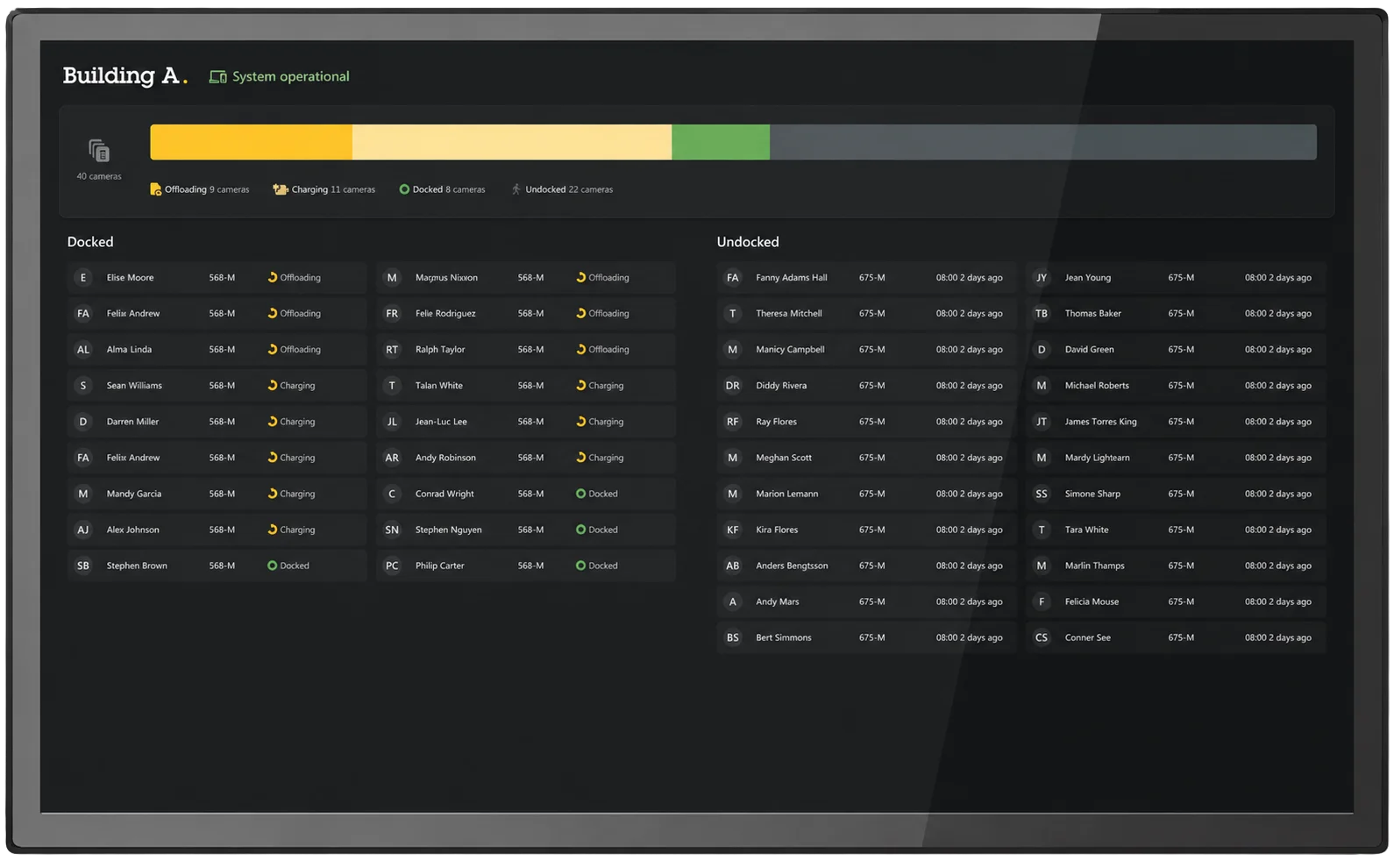
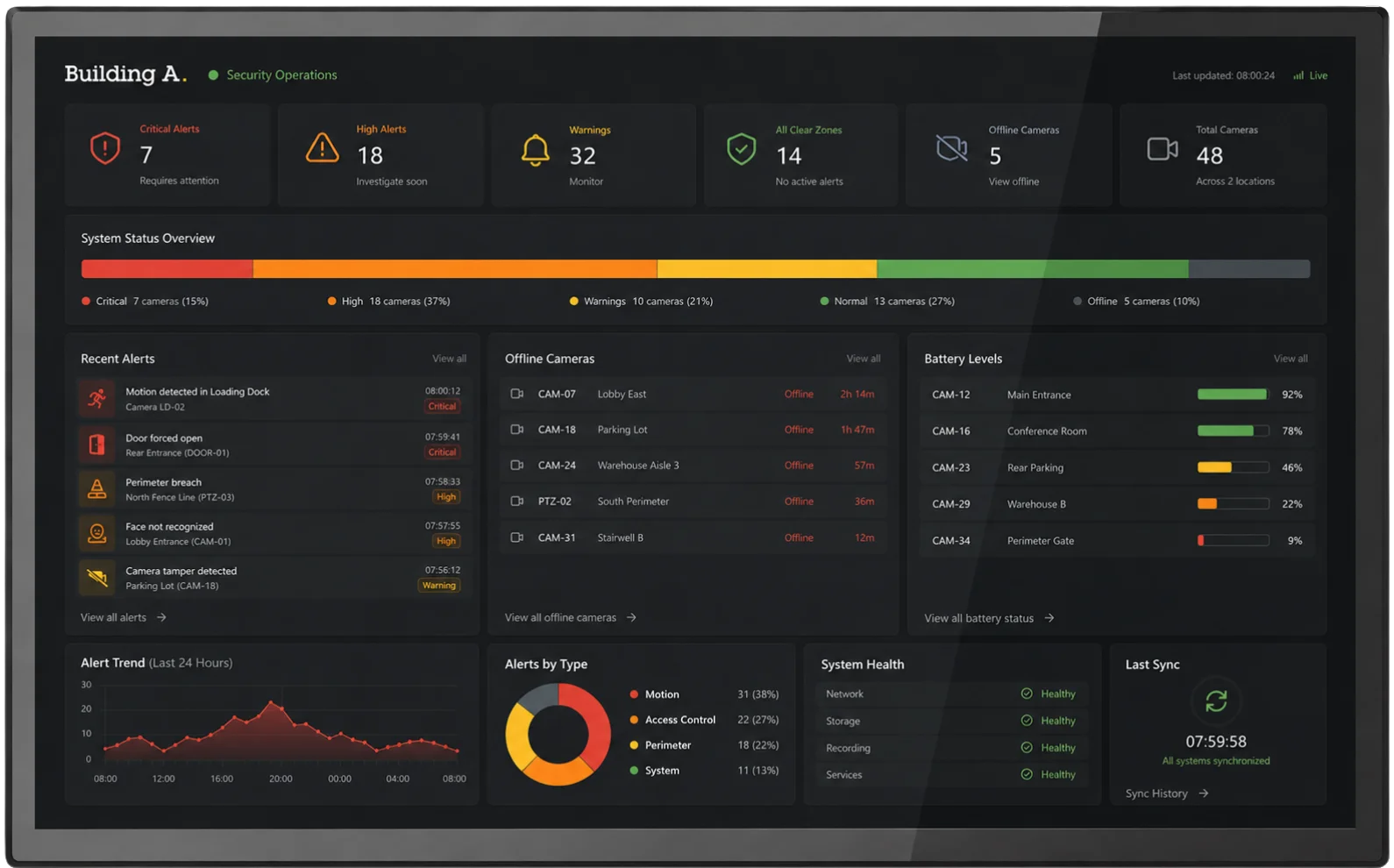
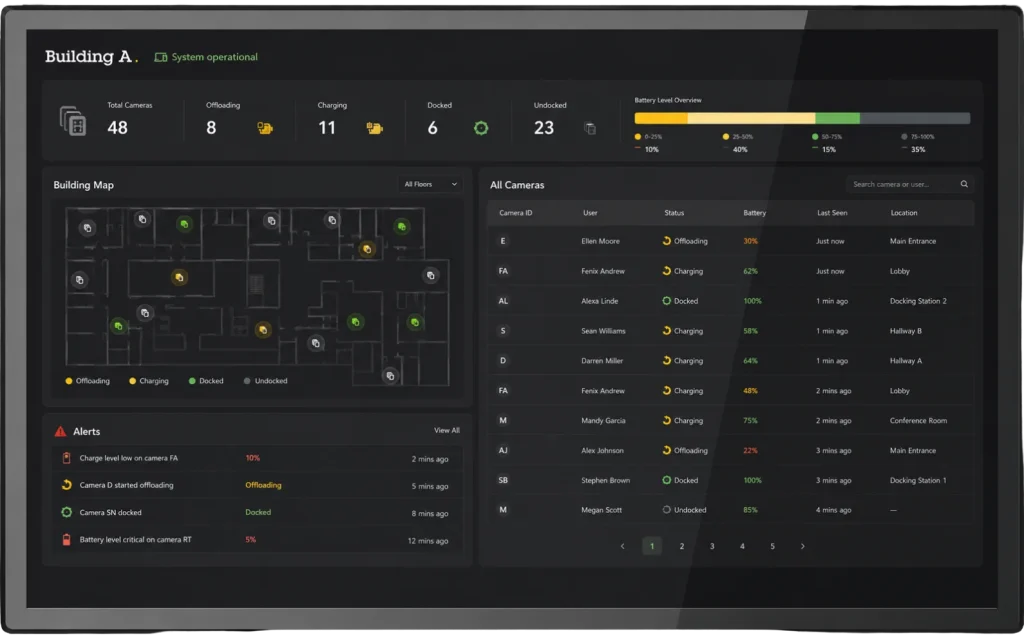
The AXIS Body Worn TV Dashboard is designed to give teams a clear, at-a-glance view of AXIS body-worn camera status at pickup sites. It shows which cameras are docked, charging, available, missing, or broken, without requiring special login permissions. With multiple views, configurable display settings, and read-only access, it helps staff stay in control of daily camera readiness while protecting the integrity of the body-worn system.

Key features
Check them out

Simple status visibility

Shows whether cameras are docked, charging, available, missing, or broken.
Read-only access

Protects system integrity by showing camera status without allowing users to change settings.

mobile platforms icon for accessing axis body worn assistant on smartphones

Android TV support

Runs on Android TV-compatible devices, including smart TVs with native Android TV support.
Technical specs.
Inside the system.

AXIS Body Worn TV dashboard showing a camera map, battery levels, alerts, and device docking status.

Platform support

Android TV-compatible devices

Android TV-compatible devices

Displays Axis body worn camera status at pickup sites

Camera status

Shows docked, charging, available, missing, or broken cameras

Compatible products

AXIS W100, W101, W102, W110, W120, and W800 System Controller
AXIS Body Worn TV dashboard showing a camera map, battery levels, alerts, and device docking status.

Connect with leading remote monitoring experts in North America.

Works with.
Built for the system.

Compatible camera icon for AXIS Body Worn TV Dashboard, showing a wall-mounted security camera unit.

Compatible cameras

Supports connected Axis body worn cameras within the body worn ecosystem.

sharp hd image performance for body camera.

Display devices

Runs on Android TV-compatible devices for clear status visibility at pickup sites.
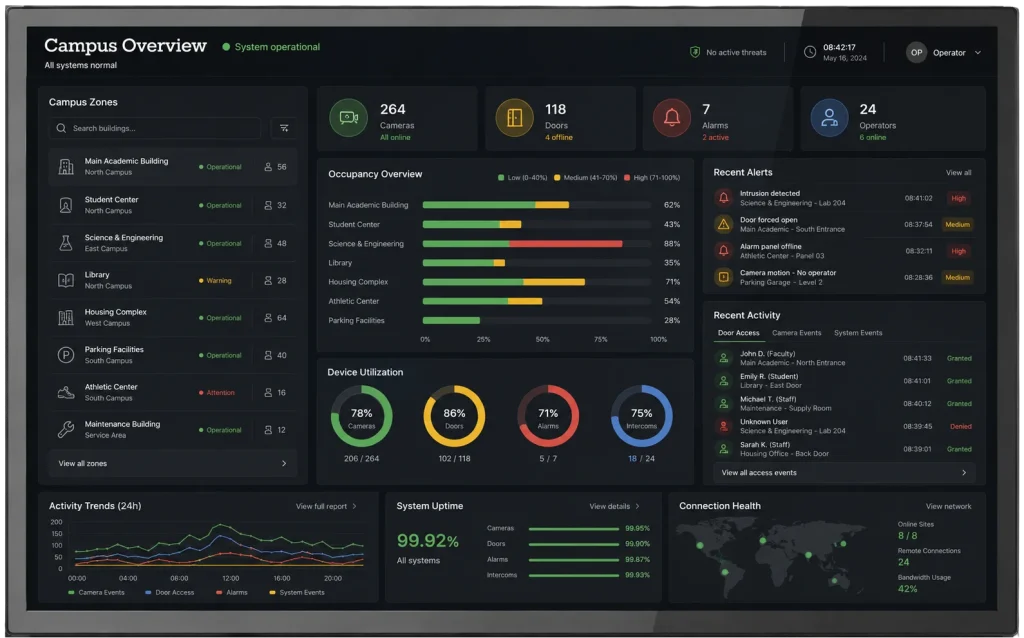
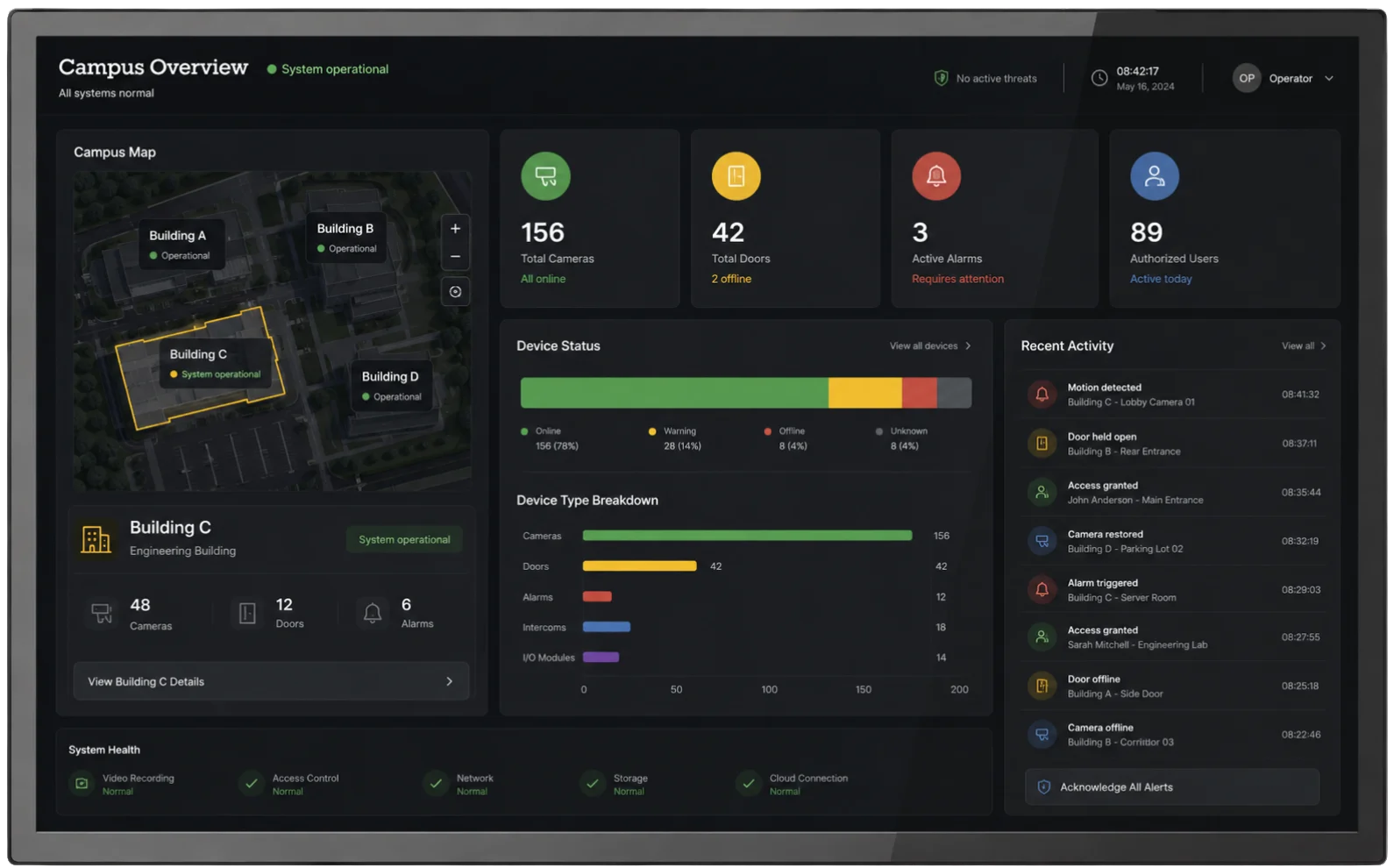
AXIS Body Worn TV campus dashboard showing zones, occupancy, alerts, device use, uptime, and access.

Get alerts at the first sign of anomalies in your security camera system.

Always learning.
Related reads.