


Commercial surveillance cameras in 2026 do more than record footage. They provide remote visibility, real-time alerts, and smarter security for businesses of all sizes. With advances in AI and cloud-based video systems, business owners can now monitor their locations anytime, from anywhere.
Below are 10 of the best commercial surveillance cameras for businesses in 2026. For each model, you’ll find key specs, what we like, what we don’t, the ideal business use case, and an estimated price range so you can compare options fast and choose what fits your setup.
Top 10 commercial surveillance cameras for businesses in 2026:
1. Avigilon H6A series – Best overall commercial AI camera:
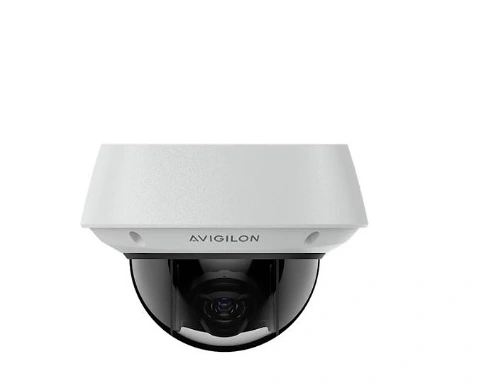
The Avigilon H6A series represents one of the most advanced commercial AI camera lines available today. Designed for professional security environments, it combines high-quality imaging, intelligent analytics, and scalable performance to support modern surveillance needs.
If you’re planning deployment, watch how to install the Avigilon H6A Series before setup. Below is a concise breakdown of its key aspect
Product specs:
- AI-powered video analytics built into the camera.
- High-resolution sensors (varies by model).
- Wide dynamic range for clear images in varied lighting.
- On-device processing reduces bandwidth and storage needs.
- Multiple lens options (fixed, varifocal).
- Suitable for both indoor and outdoor deployment.
- Integration with Avigilon Control Center (ACC) software.
What we like:
- Smart Analytics: On-camera AI reduces false alerts (people/vehicle detection, behavior analysis).
- Image Quality: Excellent clarity and detail, even in low light.
- Scalability: Works well for small sites or large installations.
- Integration: Seamless with ACC and other security systems.
- Reduced TCO: On-device processing lowers server/storage requirements.
What we don’t like:
- Price: Premium cost compared to basic cameras.
- Complexity: Some features may require setup expertise.
- Licensing: Advanced analytics may require additional license fees.
Ideal for:
- Large sites: Campuses, warehouses, industrial facilities.
- Multi-location enterprises: Retail chains, corporate offices, distributed environments.
- Organizations needing intelligent video analytics and scalable security.
Price range:
- Generally positioned in the mid-to-high range for commercial AI cameras.
- Pricing varies by model (resolution, lens, analytics licenses).
- Often bundled with software or support agreements.
Avigilon Product Catalogue will give you more information about.
2. Axis P32 dome series – Best for multi-site IP deployments:
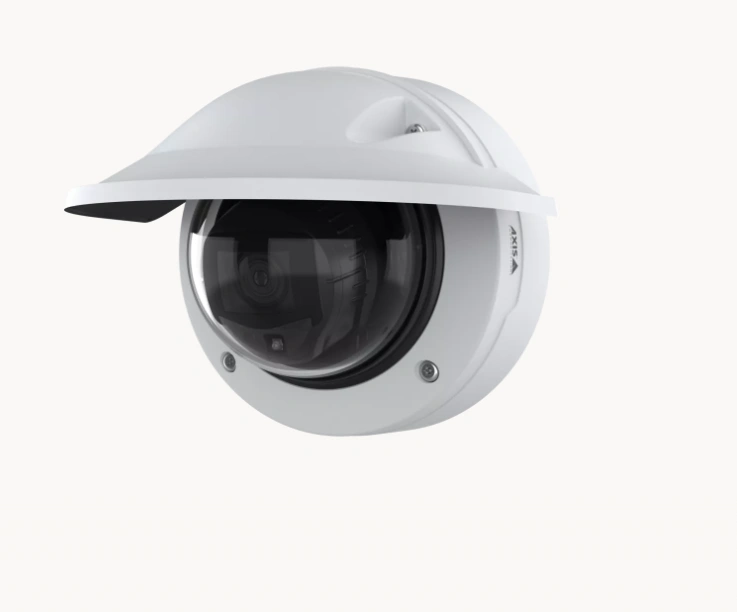
The Axis P32 dome series is a reliable line of network cameras designed for broad IP-based surveillance across multiple locations. With strong performance, flexible mounting options, and solid integration capabilities, it’s well-suited for enterprises managing distributed sites that need consistent, scalable security coverage.
Product specs:
- IP dome cameras with various resolution options (e.g., 2-8 MP depending on model).
- Built-in analytics for essential detection (motion, audio, tampering).
- Weatherproof and vandal-resistant housings for indoor/outdoor use.
- PoE support for simplified installation.
- ONVIF compatibility for broad VMS support.
What we like:
- Easy deployment: PoE and standard protocols simplify setup across many sites.
- Consistent performance: Good image quality with reliable uptime.
- Scalability: Works well with centralized video management systems.
- Durability: Robust hardware ideal for diverse environments.
What we don’t like:
- Analytics are basic: Not as advanced as some AI-driven cameras.
- Feature upgrades may require licenses depending on software integration.
- Image quality varies by model, so picking the right one is important.
- Ideal for: Enterprises with multiple IP camera sites, such as retail chains, campuses, healthcare facilities, and distributed office networks.
Price range:
- Typically mid-range for network domes, varying with resolution and features.
- Additional software or VMS licenses may affect total cost.
You can find detailed setup and configuration information in the Axis P32 Dome Series User Manual.
3. Hanwha vision P series AI-Best for advanced analytics & loss prevention:
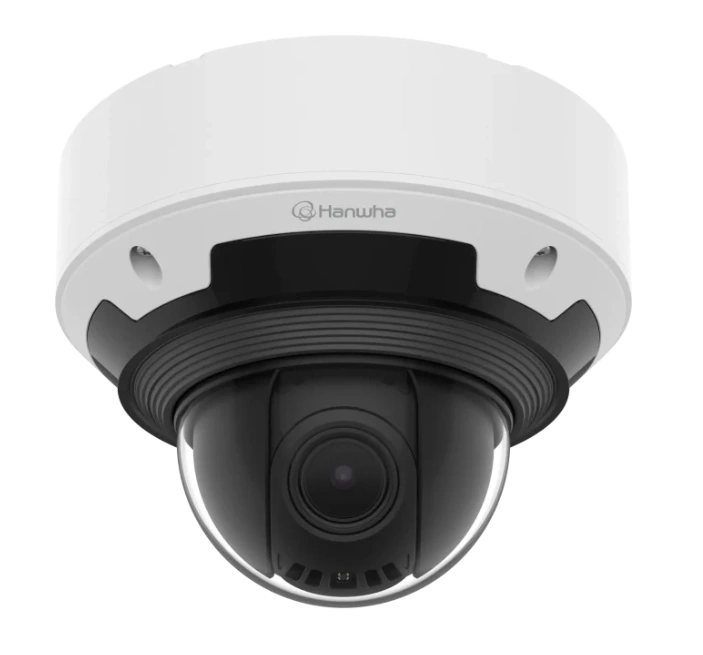
The Hanwha vision P series AI stands out for its strong on-board analytics capabilities and smart detection features that help prevent loss and enhance situational awareness.
Designed for environments where actionable insights and automated alerts matter, this series is ideal for retail, transportation hubs, and other high-risk areas needing proactive security solutions.
Product specs:
- AI-powered analytics with deep learning capabilities.
- High-resolution imaging (varies by model, often 4K).
- On-device object classification (people, vehicles, objects).
- Built-in intrusion and loitering detection.
- Weatherproof and vandal-resistant options for outdoor use.
- Support for PoE for easier installation and power management.
What we like:
- Advanced analytics: Effective object detection and classification reduce false alarms.
- Loss prevention: Smart features identify suspicious behavior in real-time.
- Flexible deployments: Multiple models fit both indoor and outdoor use cases.
- Integration support: Works with major VMS platforms and analytics dashboards.
What we don’t like:
- Cost premium: Advanced AI features typically come at a higher price point.
- Learning curve: Maximizing analytics may require configuration and tuning.
- Processing load: More advanced models may need robust network and storage infrastructure.
Ideal for:
- Locations where intelligent detection and proactive alerts are essential such as retail stores, parking lots, transportation terminals, and enterprise campuses.
Price range:
- Generally positioned in the upper mid-range to high-end tier for AI-enhanced cameras.
- Pricing depends on resolution, analytics level, and optional software packages.
4. Verkada dome series – Best cloud-managed camera system:
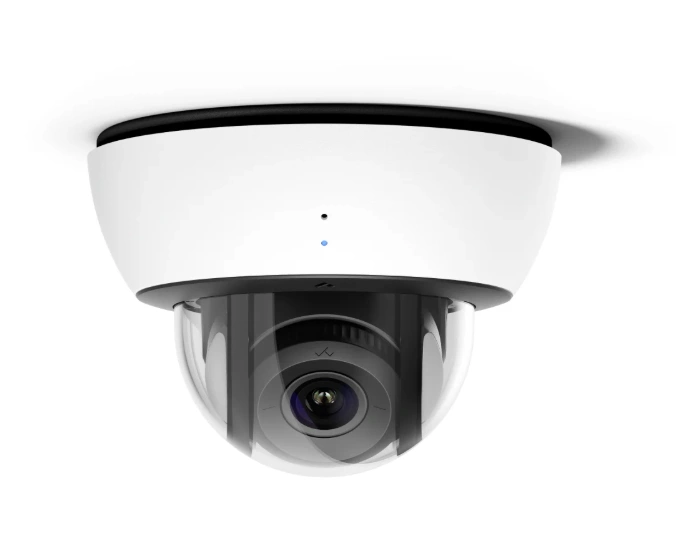
The Verkada Dome Series is a cloud-managed surveillance solution that combines robust hardware with a unified, web-based management platform. It’s designed for organizations that want simple, centralized control without the complexity of traditional on-premise video systems, making it ideal for multi-site operations and IT-focused teams.
Product specs:
- Dome camera models with various resolutions (often 4-8 MP).
- Built-in onboard storage with optional cloud backup.
- Cloud-based management dashboard (no local NVR required).
- Smart analytics (motion zones, people/vehicle detection).
- PoE for straightforward installation.
- Weather and vandal-resistant housings for indoor/outdoor use.
What we like:
- Cloud management: Easy central control from anywhere with a browser/app.
- Scalability: Excellent for multi-location deployments.
- Alerts & analytics: Intelligent event notifications simplify monitoring.
- Low maintenance: No complex on-site hardware or software to manage.
- User-friendly UI: Intuitive dashboard reduces training time.
What we don’t like:
- Subscription costs: Cloud features often require ongoing licensing fees.
- Dependence on internet: Full functionality depends on reliable network connectivity.
- Storage limits: Cloud storage tiers may cap retention without upgrades.
Ideal for:
- Organizations seeking centralized, cloud-based surveillance, especially multi-site businesses, distributed campuses, and IT teams that prefer minimal on-site infrastructure.
Price range:
- Typically mid-to-high range, influenced by camera specs and subscription levels.
- Cloud services and advanced analytics may add recurring costs.
For a real-world perspective, watch Verkada Honest Review: My Real User Experience with This Smart Security Solution.
5. Lorex 4K NVR system – Best DIY commercial camera Kit:
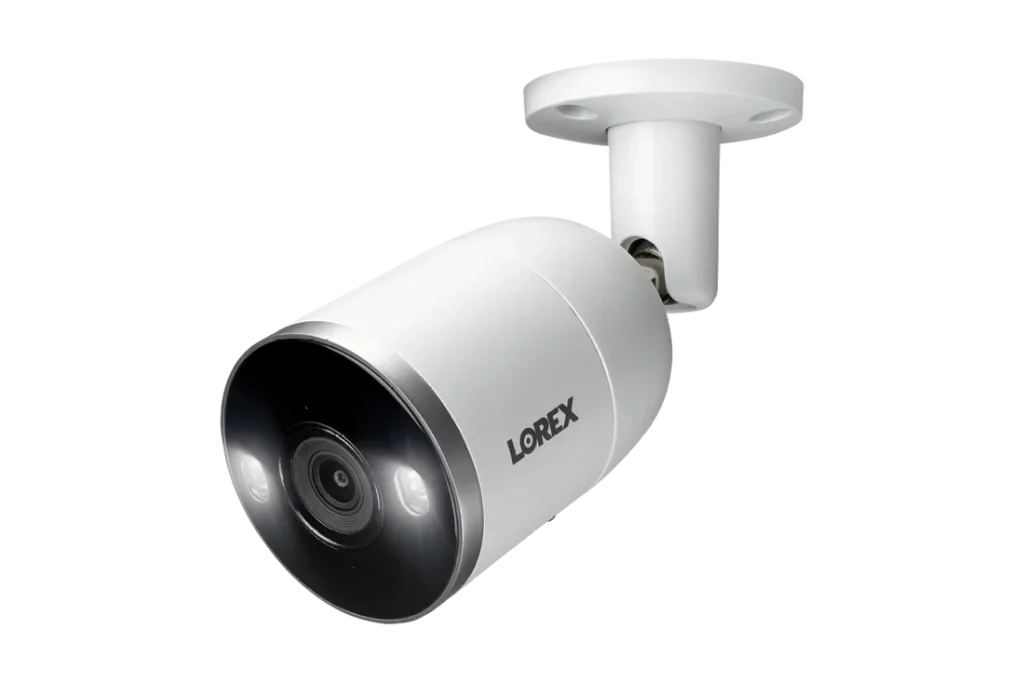
The Lorex 4K NVR System offers a powerful yet accessible surveillance solution that’s ideal for businesses looking to install their own security cameras without professional help.
Combining high-resolution 4K cameras with a user-friendly NVR (Network Video Recorder), it’s a great choice for small to medium commercial sites where simplicity and performance matter.
Product specs:
- 4K Ultra HD resolution cameras for sharp detail.
- NVR with multi-channel support (varies by kit).
- Night vision and motion detection.
- PoE connections for easy plug-and-play setup.
- Weatherproof cameras suitable for outdoor use.
- Local storage with options for expandable HDD capacity.
What we like:
- DIY-friendly: Easy to install without specialized tools or training.
- High resolution: Crystal-clear images with 4K quality.
- All-in-one kit: Cameras and NVR bundled together.
- Good value: Strong performance for the price point.
- Local storage: No recurring cloud fees required (unless chosen).
What we don’t like:
- Limited analytics: Basic motion alerts; advanced AI features are minimal.
- Scalability: Not as easy to expand as some enterprise-grade systems.
- Remote access setup: Can be tricky for non-technical users.
Ideal for:
- Commercial spaces that want a do-it-yourself security setup with high-quality video such as small offices, retailers, and standalone facilities.
Price range:
- Generally positioned in the affordable to mid-range category for commercial camera kits.
- Final cost varies with the number of cameras and NVR capacity included.
A technician from mygiguser shows a few details about the hardware.

6. Ring for Business (Spotlight/Stick Up Cam) – Best for Small Businesses & Startups:
Ring for business is a simple, cloud-based camera solution designed for small teams that want quick deployment, mobile access, and low upfront costs.
Product specs:
- Wired or battery-powered cameras.
- HD video with night vision.
- Motion detection and mobile alerts.
- Cloud-managed via the Ring app.
What we like:
- Very easy DIY installation.
- Affordable entry price.
- Mobile app with real-time alerts.
- Flexible placement (battery options).
What we don’t like:
- Cloud subscription required for recordings.
- No advanced AI or business analytics.
- Limited scalability for larger deployments.
Ideal for:
- Small businesses, startups, and single-location shops needing basic security.
Price range:
Most Ring cameras range from about $60 to $270 depending on the model and features, while Ring Protect cloud storage starts at roughly $3.99 per month per device; updated comparisons are available in this Ring pricing and performance analysis.
7. ADT commercial cameras – Best for 24/7 professional monitoring:
ADT Commercial Cameras provide security solutions backed by professional, around-the-clock monitoring services, making them ideal for businesses that want continuous surveillance with expert support.
Product specs:
- Professional-grade cameras (varies by package).
- Integrated with ADT’s monitoring infrastructure.
- Motion detection and alert systems.
- Often paired with access control and alarm systems.
What we like:
- 24/7 professional monitoring included or available.
- Rapid response: alerts escalate to trained security teams.
- Integrated ecosystem: works with alarms, sensors, access control.
- Peace of mind: less reliance on in-house monitoring.
What we don’t like:
- Subscription required: monitoring comes with recurring fees.
- Higher cost: upfront and ongoing compared to DIY systems.
- Less flexibility: professional packages may limit custom configurations.
Ideal for:
- Businesses that want continuous, professionally monitored security (retail, offices, facilities with high risk)
Price range:
- Mid-to-high range, with ongoing monitoring fees.
- Final cost depends on equipment, service level, and contract.
For a full breakdown of available hardware and services, you can review the official ADT Commercial Solutions Overview.
8. Arlo pro series – Best wire-free surveillance solution:
Arlo Pro Series offers flexible, completely wire-free security cameras that are easy to install and manage, making them ideal for businesses that want a cable-free, portable surveillance setup.
Product specs:
- Fully wireless cameras with rechargeable batteries.
- HD/4K video quality with night vision.
- Motion and audio detection.
- Works with Arlo app for remote monitoring.
- Optional base station for extended features.
- Cloud storage and local storage options (depending on model).
What we like:
- 100% wire-free setup: easy placement anywhere without power cables.
- Portable & flexible: move cameras as needed.
- Good mobile app: live view and alerts on the go.
- Expandable system: add cameras without rewiring.
What we don’t like:
- Battery-dependent: needs recharging (especially with heavy usage).
- Cloud costs: best video history requires subscription.
- Range limits: wireless signal range can be a constraint in large spaces.
Ideal for:
- Small to medium businesses, pop-up locations, rental spaces, or areas where wiring is difficult
Price range:
- Typically mid-range, with additional cost for cloud storage plans
9. Swann 4K PoE system – Best value for high resolution:
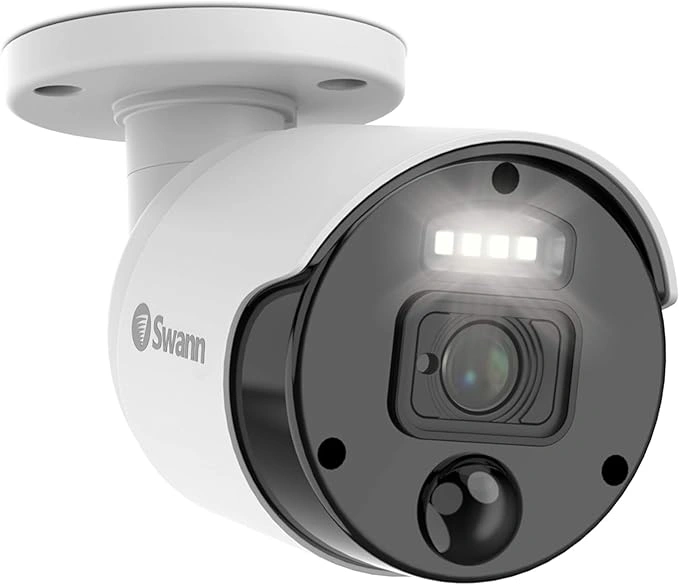
The Swann 4K PoE System delivers crisp 4K video quality at an affordable price, using Power-over-Ethernet (PoE) for reliable, wired performance. It’s a strong choice for businesses that want high-resolution surveillance without breaking the budget.
Product specs:
- 4K Ultra HD cameras with sharp video detail.
- PoE connectivity for power and video over a single cable.
- Night vision and motion detection.
- Weather-resistant housings for indoor/outdoor use.
- NVR (Network Video Recorder) with multi-channel support.
- Local storage with expandable HDD options.
What we like:
- Excellent resolution: 4K clarity improves identification and detail.
- PoE simplicity: single cable per camera reduces installation complexity.
- Strong value: high-resolution system at a competitive price.
- Local storage: no mandatory cloud fees.
What we don’t like:
- Limited advanced analytics: basic motion alerts, no AI detection.
- Wired setup required: less flexible than wireless systems.
- Remote access setup: may require some networking know-how.
Ideal for:
- Small to medium commercial sites that want high-quality video and reliable wired performance such as offices, stores, warehouses, and clinics
Price range:
- Budget-to-mid-range for a full PoE 4K kit.
- Final cost varies with number of cameras and NVR storage size.
10. Reolink 4K PoE series – Best budget-friendly commercial 4K option:
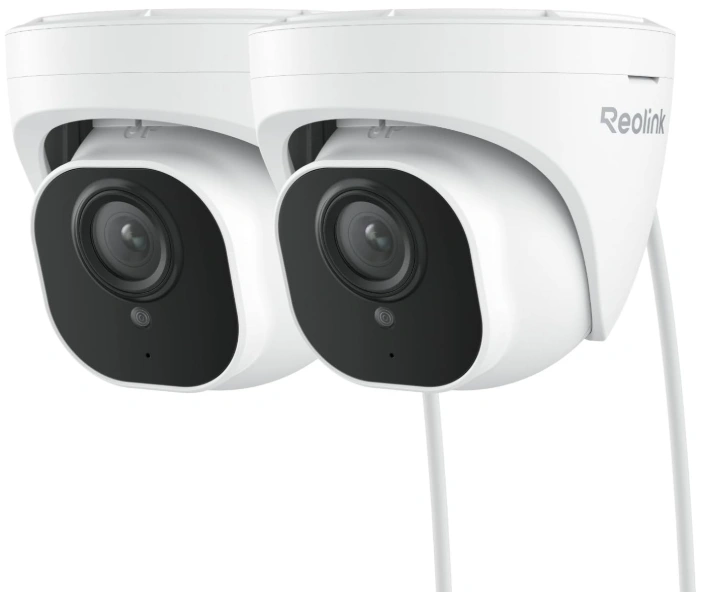
The Reolink 4K PoE Series delivers high-resolution 4K surveillance at an entry-friendly price point, making it a strong choice for businesses that want quality video without heavy investment. With Power-over-Ethernet (PoE) support, setup remains straightforward and reliable.
Product specs:
- 4K Ultra HD cameras with detailed video.
- PoE connectivity for power and data over one cable.
- Night vision up to significant distances.
- Motion alerts and customizable detection zones.
- Weatherproof housing for indoor/outdoor use.
- NVR support with local storage options.
What we like:
- Great value: high-resolution 4K at a competitive price.
- PoE simplicity: easy installation with a single network cable.
- Local storage: no mandatory subscription fees.
- Reliable basics: solid motion detection and night vision.
What we don’t like:
- Limited advanced analytics: no built-in AI object classification.
- Remote setup may require tech skills: for app or network configuration.
- Feature set is basic: not as rich as enterprise solutions.
Ideal for:
- Small to medium businesses that need high-quality 4K cameras on a budget
Price range:
- Budget-friendly to mid-range, depending on kit size and storage
Real pricing breakdown: what commercial cameras cost in 2026:
Understanding the true cost of a commercial surveillance system goes beyond the price tag on the camera box. In 2026, pricing varies widely depending on features, installation complexity, storage choices, and whether professional monitoring is included. Below we break down the real cost components so you can budget accurately and avoid surprises.
Single camera pricing:
Commercial surveillance cameras vary widely in price because you’re not just paying for resolution. Build quality, low-light performance, weather protection, and built-in analytics can change the cost significantly.
Basic cameras (1080p, limited analytics) usually fall in the $100–$250 per camera range. They can work well for small sites or low-risk areas where you mainly need general visibility.
Mid-range cameras (2K–4K, smarter detection) are typically $250–$600 per camera. This is often the best value tier for many businesses because you get clearer images and more reliable alerts.
Premium cameras (4K+ with advanced AI analytics) commonly start around $600 and can reach $1,500+ per camera. These are a better fit for large facilities, higher-risk zones, and multi-site environments where accurate detection and fewer false alarms matter.
NVR & System pricing:
For systems that include Network Video Recorders (NVRs) or complete kits:
- Basic NVR systems: $300 – $800+
Typically includes storage for a few cameras. - Advanced NVR with hybrid cloud: $800 – $2,000+
Supports larger camera counts, RAID storage, and remote access features. - All-in-one cloud systems: Subscription model
Some solutions bundle cameras with cloud storage and remote monitoring via monthly or annual fees, often ranging $15–$50+ per device per month.
Hidden costs (licensing, cloud, installation, cabling):
Many businesses overlook the following costs:
- Software licensing:
Advanced analytics or VMS (Video Management Software) licenses can add $100 – $500+ per camera. - Cloud storage fees:
Cloud video plans vary with retention length and resolution. Expect $10 – $50+ per camera per month for 30–90 days of retention. - Professional installation:
Technician labor for mounting, wiring, and configuration can range $100 – $300+ per camera, depending on site complexity. - Cabling & Network Infrastructure:
Cat6/PoE cabling, switches, and power solutions often add $50 – $200+ per camera, especially in retrofits. - Monitoring Services (optional):
If you choose professional remote monitoring, expect additional monthly fees (varies by provider and service level).
How to choose the right surveillance camera system for your business?
Choosing a commercial surveillance system isn’t about picking the most expensive camera. It’s about matching the technology to your space, risk level, and operational needs. The factors below will help you make a decision that works today and still makes sense as your business grows.
For a step-by-step breakdown, see the SCW Beginner’s Guide: https://cdn2.hubspot.net/hubfs/5417380/SCW_Beginners_Guide.pdf
Resolution (1080p vs. 4K vs. 8K):
Resolution determines how much detail your cameras can capture. 1080p is often enough for basic monitoring, but it can struggle with identification at a distance.
4K has become the standard for commercial use, offering clearer images for facial recognition, license plates, and incident review. 8K is still niche and typically reserved for large sites where extreme detail is required.
Higher resolution improves visibility but increases storage and bandwidth needs, so it should match the importance of the area being monitored.
Storage options: cloud, on-prem, and hybrid:
Cloud storage allows easy remote access and scalability, but it comes with ongoing subscription costs and reliance on internet connectivity.
On-prem storage (NVRs or servers) keeps video data locally, offering more control and predictable costs, but requires hardware maintenance.
Hybrid storage combines both approaches, storing critical footage locally while backing up or accessing video remotely often the most flexible option for businesses.
AI & analytics (People/vehicle/LPR detection):
AI analytics help turn video into actionable information. Instead of alerting on every motion, AI can detect people, vehicles, or license plates, reducing false alarms.
These features are especially useful for remote video monitoring, where faster, more accurate alerts lead to quicker response.
Advanced analytics may add cost, but they often improve efficiency and reduce the workload on security teams.
Field of view & coverage planning:
Field of view determines how much area each camera can cover. Wide-angle lenses reduce the number of cameras needed but may sacrifice detail.
Narrower views provide better detail but require more cameras for full coverage. Planning coverage correctly helps avoid blind spots while controlling costs.
A good layout focuses cameras on entries, high-risk zones, and key operational areas.
Connectivity: PoE vs. wireless vs. LTE:
PoE (Power over Ethernet) is the most reliable option for commercial environments, delivering power and data through a single cable.
Wireless cameras offer faster installation but can be affected by signal strength and interference.
LTE cameras are useful for temporary sites or locations without reliable internet, though data costs can be higher.
Total cost of ownership considerations:
The real cost of a surveillance system includes more than hardware. Installation, storage, licensing, maintenance, and monitoring services all add up over time.
A lower upfront cost may result in higher long-term expenses, especially with cloud subscriptions or frequent upgrades.
Evaluating total cost of ownership helps ensure the system remains affordable and effective over its full lifespan.
Emerging surveillance trends businesses should know in 2026:
In 2026, surveillance is shifting from “record and review” to detect and respond. Businesses want fewer false alerts, faster verification, and better visibility across multiple locations.
The trends below are shaping what modern commercial surveillance looks like and what buyers should prioritize when upgrading systems.
AI-driven smart monitoring:
AI is replacing basic motion alerts with smarter detection. Instead of triggering on shadows, headlights, or weather, systems can identify people and vehicles and flag unusual activity.
This makes remote monitoring more effective because alerts are more accurate and easier to verify quickly. Less noise means faster response.
Cloud-first VMS platforms:
More businesses are adopting cloud-first video management systems (VMS) to centralize security across sites. Cloud platforms make it easier to access video remotely, manage permissions, and keep systems updated.
They also simplify expansion. Adding new cameras or locations becomes a software decision, not a major infrastructure project.
24/7 Color night vision enhancements:
Low-light performance has improved significantly. Many modern commercial cameras can capture color video at night, not just black-and-white infrared footage.
Color matters for investigations because it improves identification and gives clearer context. This is especially valuable for parking lots, perimeters, and outdoor facilities.
Cybersecurity & zero-trust cameras:
Cameras are now part of the IT network, which makes them a cybersecurity target. In response, businesses are demanding stronger protections like encryption, signed firmware updates, and stricter access control.
Zero-trust approaches treat every device and user request as potentially risky. For commercial deployments, choosing cameras with strong security standards is no longer optional it’s part of the security plan.
When to upgrade vs. reuse your existing cameras?
Upgrading a surveillance system doesn’t always mean replacing every camera. Many businesses can reuse part of their existing setup while still improving detection, visibility, and response.
The key is understanding when older cameras limit performance and when they can still support modern monitoring and analytics.
Signs you should replace your cameras:
Older cameras may no longer deliver the image quality needed for identification or reliable monitoring. If footage is consistently blurry, washed out at night, or unreliable in poor lighting, replacement is often the best option.Kraig, a tech influencer, talks about the right time to upgrade a camera in his youtube video.
Another sign is limited compatibility. Cameras that don’t support modern VMS platforms, AI analytics, or secure remote access can slow response and increase false alerts.
Hardware age also matters. Devices that frequently fail, require constant maintenance, or no longer receive firmware updates can introduce both security and operational risks.
When you can still use your existing hardware?
If your cameras provide clear video and support standard protocols, they may still be usable. Many modern platforms can integrate with existing IP cameras without requiring a full replacement.
This approach works well when coverage is adequate and the main goal is to improve monitoring, analytics, or remote access rather than image quality.
Reusing cameras can reduce upfront costs and minimize disruption while extending the value of your current investment.
Hybrid deployment options:
Hybrid deployments combine existing cameras with new ones. Older devices can cover lower-risk areas, while newer cameras handle entrances, perimeters, and critical zones.
This phased approach allows businesses to upgrade gradually while maintaining full coverage. It also makes it easier to adopt AI analytics and remote video monitoring without a full system overhaul.
Hybrid setups offer flexibility, cost control, and a smoother transition to modern surveillance capabilities.
Why remote video monitoring matters for businesses in 2026?

Security in 2026 is no longer just about capturing video. It’s about seeing what’s happening in real time and responding quickly, even when no one is on site. Remote video monitoring allows businesses to monitor locations continuously, verify alerts, and take action before situations escalate.
Modern operations are more distributed than ever. Many businesses manage multiple sites, operate outside regular hours, or rely on lean teams. Remote monitoring makes it possible to oversee all locations from a single platform, reducing blind spots and improving visibility without increasing on-site staffing.
False alarms are costly and disruptive. Remote video monitoring adds context to alerts, allowing trained operators to confirm real threats before responding. This leads to faster interventions, fewer unnecessary callouts, and better use of security resources. Beyond security, remote monitoring supports operations and risk management.
It helps deter trespassing, vandalism, and unsafe behavior while creating a documented record for investigations and liability protection.In 2026, businesses that want proactive, scalable security increasingly rely on remote video monitoring to stay in control.
For a broader look at the technologies driving this shift, see Top 15 AI security technologies transforming businesses in 2026.
Conclusion:
Choosing the right commercial surveillance camera in 2026 comes down to more than image quality. Businesses need systems that support reliable detection, remote access, and fast response, while remaining scalable and cost-effective over time.
The cameras covered in this article address different needs from small business setups to large, multi-site deployments. By focusing on the right combination of video quality, analytics, storage, and monitoring capabilities, businesses can build a surveillance system that not only records incidents, but helps prevent them.
If you want to go beyond passive recording and add real-time remote video monitoring, contact our team for a setup that fits your site and response requirements.